Library
What is FTB Library?
FTB Library is one of our core mods / library mod that is a collection of common code, utilities, and features that are utilized across all of our mods.
Features
Custom UIsystem that is used to create GUI's in all of our modsSidebar Systemthat is used to dynamically create sidebar icons for quick access for the user. This can do an array of different things, primarily run commands, open GUI's, or open a URL.Config systemthat is used to create and manage config files for mods. This system is used by all of our mods to create and manage their config files.Utility commandssuch as/ftblibrary gamemodeand/ftblibrary rain, etc.NBT Editorfor viewing and editing the NBT data of blocks, entities, items and players.
Commands
| Command | Description | Requires OP |
|---|---|---|
/ftblibrary gamemode | Quick toggle between creative and survival | Y |
/ftblibrary rain | Toggle rain | Y |
/ftblibrary clientconfig | Opens the client config for FTB Library | N |
/ftblibrary nbtedit block <x> <y> <z> | Opens the NBT Editor for the block entity at the given position | Y |
/ftblibrary nbtedit entity <entity> | Opens the NBT Editor for an entity (except players) | Y |
/ftblibrary nbtedit player <player> | Opens the NBT Editor for a player | Y |
/ftblibrary nbtedit item | Opens the NBT Editor for the item in your main hand | Y |
Client config
FTB Library's own client config is ftblibrary-client.json5, and you can open it in-game with /ftblibrary clientconfig.
| Option | Default | Description |
|---|---|---|
Show Mod Name in Item Select GUI | false | Show the mod name on items in the item selection GUI. Off by default because many other mods already do this. |
Show Mod Name in Fluid Select GUI | true | Show the mod name on fluids in the fluid selection GUI |
Show Mod Name in Image Select GUI | true | Show the mod name on images in the image selection GUI |
Show Mod Name in Entity Face Select GUI | true | Show the mod name on entities in the entity face selection GUI |
Enable Sidebar Buttons | true | Show the sidebar |
Position of Sidebar Buttons | top_left | Where the sidebar sits on screen: top_left, top_right, bottom_left or bottom_right |
NBT Editor
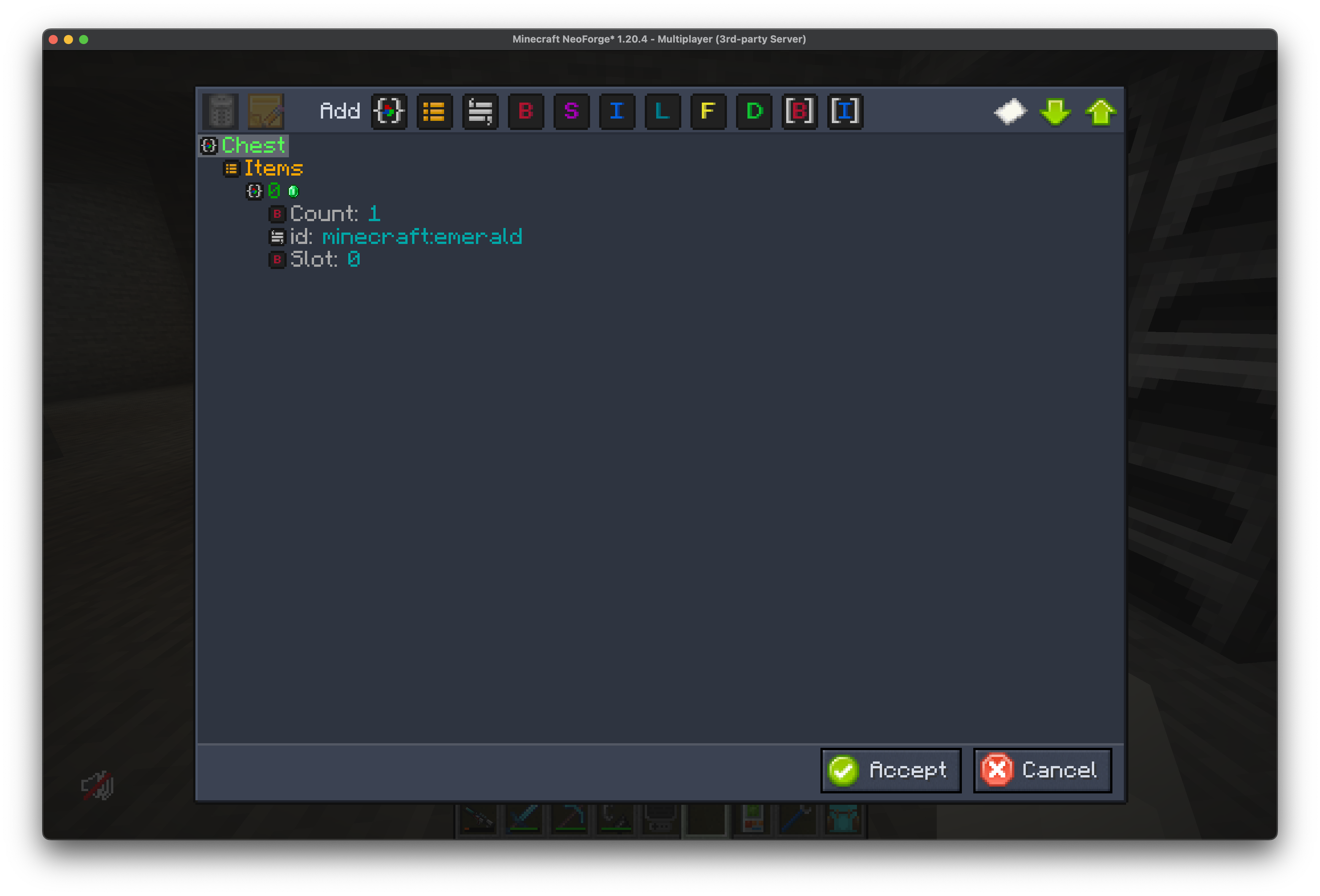
The NBT Editor is a powerful tool that allows you to edit NBT data in a user-friendly way. You can edit the NBT data of blocks, entities, items, and players. The NBT Editor is accessible in-game by running the /ftblibrary nbtedit command.
| Key | Action |
|---|---|
+ / = | Expand all entries |
- | Collapse all entries |
Ctrl + C | Copy the NBT to your clipboard |
Sidebar System
The Sidebar System can be used to display a dynamic array of buttons on the inventory screen as shortcuts for the user. Many FTB Mods add one or more buttons to the sidebar by default.

Editing the sidebar
Right-click a sidebar button to enter edit mode. In edit mode you can:
- Drag buttons to move them.
- Click the small
xon a button to hide it. - Click the
+box to add hidden buttons back.
Right-click again, or click away from the sidebar, to leave edit mode.
The gear/cog button opens the client config, where you can turn the sidebar off or change its position.